
Keypad Legend Generator
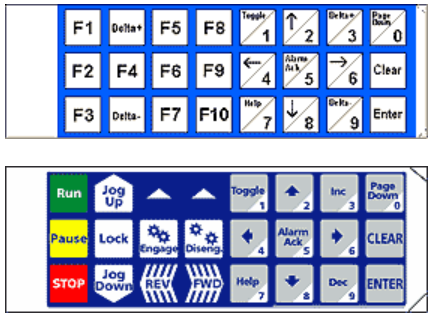
The Keypad Legend Generator is a Maple software program that allows a user to quickly and conveniently create and print custom keypad legends for their Operator Interface Terminals (OITs).
The physical and dimensional layout is done automatically when a unit is selected. Designing a keypad legend is accomplished by “filling in the blanks”.

Create Your Own Legend:
1. Select OIT Model
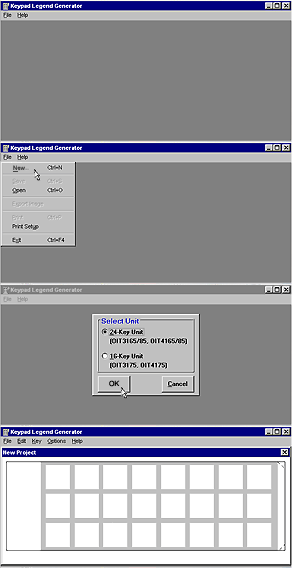
By default, the Keypad Legend Generator (KLG) displays a blank screen. A screen with two option buttons is shown:
- 24-Key Unit (OIT3165/85, OIT4165/85)
- 16-Key Unit (OIT3175, OIT4175)
Select the desired model, then OK. A blank legend is then created.
2. Set Background Color
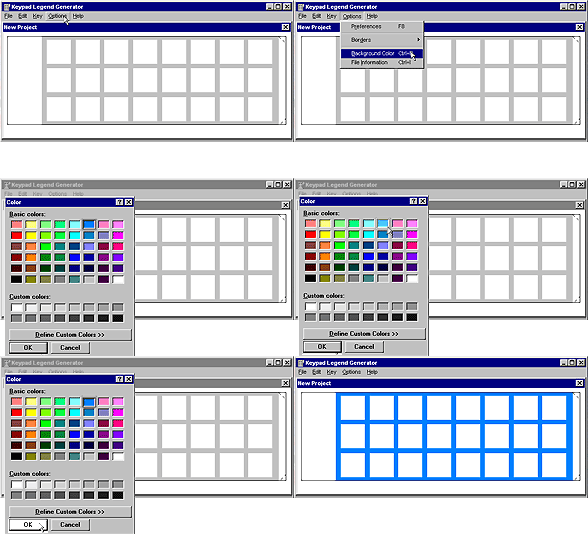
Select a color to paint the legend background.
3. Configure Keys (Key Attributes)
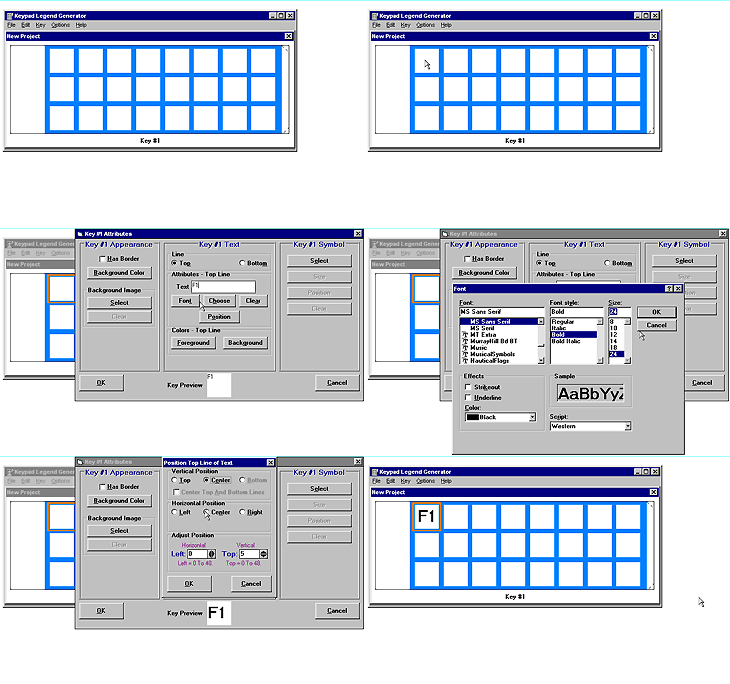
Select a key, then select Edit Key. Alternatively, double-click on the key. The Key Attributes screen will be shown for the selected key with the existing settings for the selected key. If any key locations are not to be used, they can be deleted. If the legend needs additional keys, those can be added.
NOTE: The SYMBOL area allows the selection of a foreground image to be placed on the key. Unlike the background image, this image may be sized and positioned anywhere on the key.
4. Save and Print
Under the File Menu, select Save, then Print. The Keyboard Legend will be printed via your default Windows printer.
Download Keypad Legend Generator (Compatible with Windows XP and earlier versions)