
Latching Pushbuttons (Push-On/Push-Off) – Illuminated and Non-Illuminated
$16.00
Maple Systems PBS112 latching pushbutton switches hold their state after a single press: push once to close the circuit and keep it on, push again to release it. This page is for control panel designers, OEM engineers, and maintenance technicians choosing between latching and momentary push button switches. The choice matters because it decides whether an operator must hold a button down or can press it once and walk away. Below you’ll find how latching works, how it compares to momentary behavior, and the PBS112 specifications you need to specify it: 22mm mounting, NO/NC contact blocks, IP65 sealing, and a 1 million operation rating.
- 10+ units = 10% OFF
- 20+ units = 20% OFF
- Typically ships in 2 days.
- US-based technical support.
Share the product:
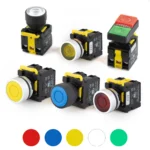
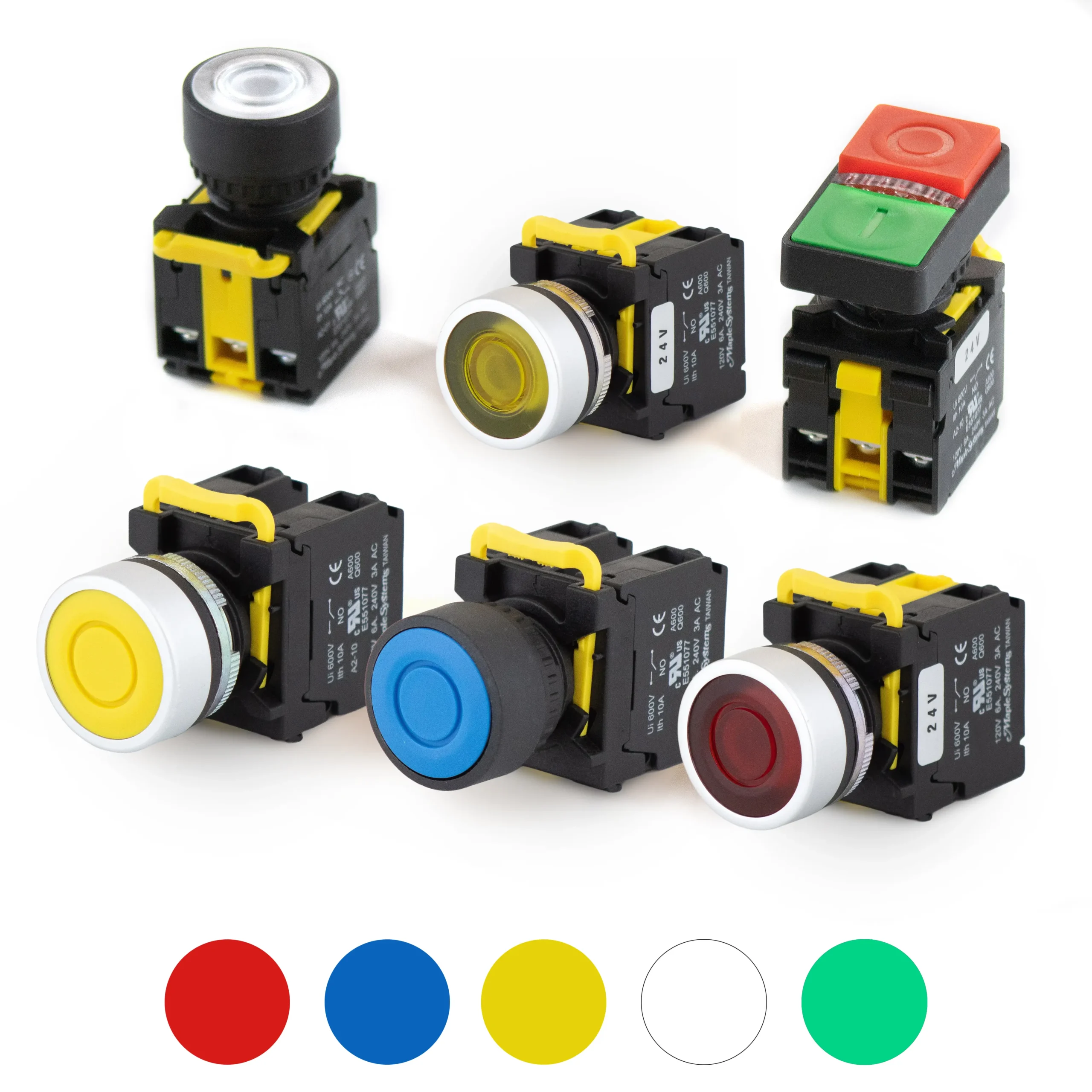
- Actuator styles: Flat Head, Guard Ring, Mushroom Head, Double (flat/raised)
- Mounting: 22mm panel mount hole
- Life: Rated for over 1 million operations
- Sealing: IP65-rated for dust and water spray resistance
- Approvals: CE, RoHS, cURus Listed
- Contacts: Compatible with NO and NC contact blocks
Latching Switches: How Push-On/Push-Off Works
Latching switches maintain their state until pressed again. The first press moves the button to its activated position and the electrical connection stays closed. The second press returns it to its original position and breaks the circuit. No continuous pressure is needed to keep the electrical circuit active.
Many latching buttons use an internal locking mechanism for state retention. This is why latching pushbutton switches are sometimes called self locking. The button stays in its last state, even when the operator walks away, until someone manually resets it with another press.
Latching switches suit anything that must stay on or off for long periods. They provide immediate visual and tactile feedback of their current state, since the button position (and the LED, on illuminated versions) shows whether the circuit is active. They are ideal for industrial process toggles. Common uses include machine start/stop buttons and alarm systems.
Momentary vs. Latching Push Button Switches: Key Differences
The difference between momentary and latching comes down to what happens when you let go.
| Latching (push-on/push-off) | Momentary | |
|---|---|---|
| Behavior | Stays in the activated position until pressed again | Automatically returns to its default state via a return spring |
| Operator action | One press to turn on, one press to turn off | Pressure must be held for the momentary function to continue |
| Best for | Maintaining a running state | Temporary actions such as jog, reset, or horn |
| Feedback | Button position and LED show the last state | Button position does not indicate status |
Momentary switches are ideal for brief, intermittent actions. They are ideal for applications requiring brief user interaction, such as jogging a motor or sending a reset pulse to a control system. A momentary push button is a poor fit when a function needs to stay on. Use latching pushbuttons there, so the operator doesn’t have to hold the button.
A light switch is a familiar household example of the latching principle. Industrial latching push button switches apply the same logic in a sealed, panel-mount form for harsh environments.
Latching Pushbutton Switches for Industrial Applications
PBS112 latching pushbutton switches are built for industrial settings where controls are pressed thousands of times and exposed to dust, washdown spray, and vibration. A 1 million operation rating and IP65 sealing give you a long service life in control panels.
Typical applications include:
- Machine start/stop and mode selection
- Alarm and security systems
- Lighting systems and auxiliary power toggles
- Process enable/disable controls
- Control system overrides
For maintenance teams, quick installation and easy replacement keep downtime short. For designers, one 22mm footprint covers every style in the series.
Latching Push Button Switch Specifications
22mm mounting hole. The PBS112 fits the standard 22mm panel cutout, so it drops into existing control panels and replaces most 22mm pushbuttons without redrilling. Mounting is panel mount, secured from behind the panel. For surface mount applications, install the button in a 22mm-ready enclosure.
NO and NC contact blocks. The PBS112 accepts normally open (NO) and normally closed (NC) contact blocks, so you can configure the electrical connection to match your circuit. Use NO to close a circuit when activated and NC to open one. Combine them for a mixed contact arrangement.
Over 1 million operations. The mechanical rating reflects how many times the latching mechanism can cycle between its activated position and original position before wear becomes a concern.
IP65 rated. IP65-rated for dust and water spray resistance. Check the datasheet for the mounting conditions required to achieve this rating.
Approvals. CE certified, RoHS compliant, cURus listed.
Illuminated and Non-Illuminated Latching Buttons
Non-illuminated latching buttons are a simple, cost-effective choice where position feedback is enough. Illuminated versions add an LED so the operator can see the button’s state from across a control panel. An LED shows the button’s last state and flags a running function at a glance, which supports operator safety and fast troubleshooting.
Choose Your Actuator Style
- Flat head: Standard, low-profile operation.
- Guard ring: A raised ring reduces accidental actuation.
- Mushroom head: Large, easy to find and press quickly.
- Double (flat/raised): A two-level design combining a raised center with a flat outer surface.
All four styles use the same 22mm mounting hole.
Make an Informed Decision
If you need a control to stay on or off after one press, choose a latching pushbutton switch. If you need it active only while pressed, choose a momentary push button. The PBS112 series covers both illuminated and non-illuminated latching options in one standard 22mm footprint. Compare actuator styles, confirm your contact blocks, and check the datasheet for full electrical specifications.
*Volume discounts apply to identical product configurations only. Discounts cannot be combined across different models or configurations.
Rating
| Thermal Current lth | 10A 50/60HZ |
|---|---|
| Isolation Voltage | Ui 600V |
| Enclosed Thermal Current lth | 10A |
| Short Circuit Current | 1000A |
| AC-15 | 120V 6A, 240V 3A |
| AC-12 | 480V 1.5A, 600V 1.2A |
| DC-12 | 120V 2.2A, 240V 0.6A, 480V 0.4A |
| Ambient Temperature | -4°F-140°F (-20°C-60°C) |
| Contact Resistance | 50mΩ Max (Initial) |
| IP Rating | IP65 |
| Certifications | CE cURus
RoHS |
Mechanical
| Button Type | Toggle |
|---|---|
| Contacts | 1x Normally Closed & 1x Normally Open Contact (1 each)
|
| Mounting Hole | 22mm |
| Actuator Lifespan | 1 Million Operations |
| Contact Block Lifespan | 1 Million Operations |
Physical
| Button Head Color | Red, Green, Yellow, Blue, White Red/Green (Combo) |
|---|---|
| Button Style | Flat Head Double Touch, Raised Buttons Double Touch, Flat Buttons |
| Border Material | Plastic Metal |
| Ring Material | Plastic Metal |
| Bulb Type | LED |
| Lamp Voltage | 24V |
Are quantity discounts available on your Pushbuttons and Selector Switches?
YES!!!!! Quantity discounts are available starting at qty 10. Contact our sales team for more information.
Related Links
Maple Systems Product Brochure
Related Articles
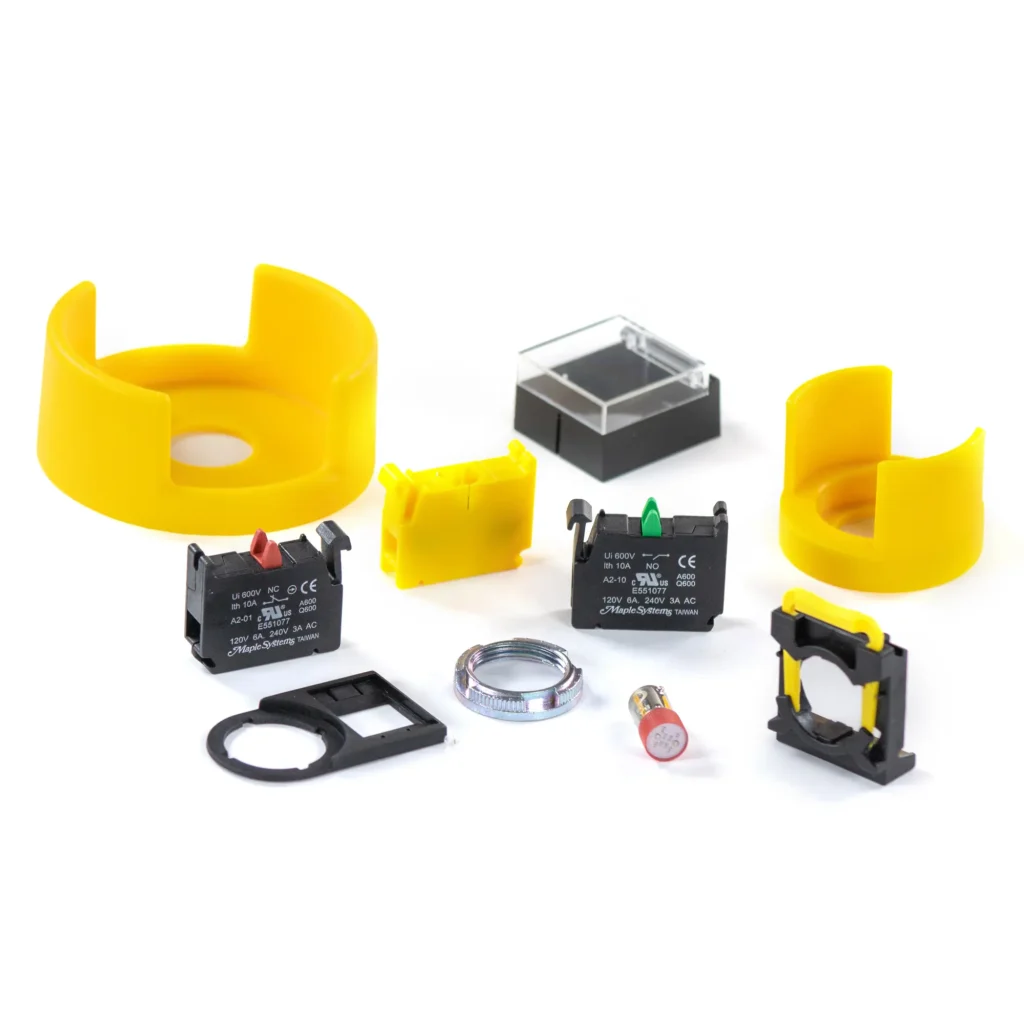
Are replacement parts available for your pushbuttons and selector switches?
Yes! We offer replacement LEDs, Contact Blocks, Metal Rings, Legend Plate Frames and more! Need a button cover? We have those. Switch Guard? Yep, we have those too. How about a Control Box? Several!
Related Links
Maple Systems Product Brochure
Related Articles
Are your pushbuttons illuminated?
Yes, we have illuminated Momentary and Toggle options as well as illuminated E-Stop, 2 Position and 3 Position Selector Switches. LED Illuminated colors vary from different product lines, available in Red, Green, Blue, Yellow, and White, as well as Double Touch Red/Green Combo buttons with Yellow LED Illumination.
Non-Illuminated buttons and switches are also available in similar colors, including Black, and Drawable and Non-Drawable Keyed Switches and E-Stops
Related Links
Maple Systems Product Brochure
Related Articles
Do you offer warranty on your Indicator Lights, Pushbuttons, and Selector Switches?
Yes, we off a one year, limited warranty on our Indicator Lights, Pushbuttons and Selector Switches. This warranty covers manufacturing defects only. It does not cover damage caused by improper installation, misuse, normal wear and tear, product modification, or any operation outside of the products rated specs. Contact our sales team if you need more information regarding limitations.
Related Links
Maple Systems Product Brochure
Related Articles
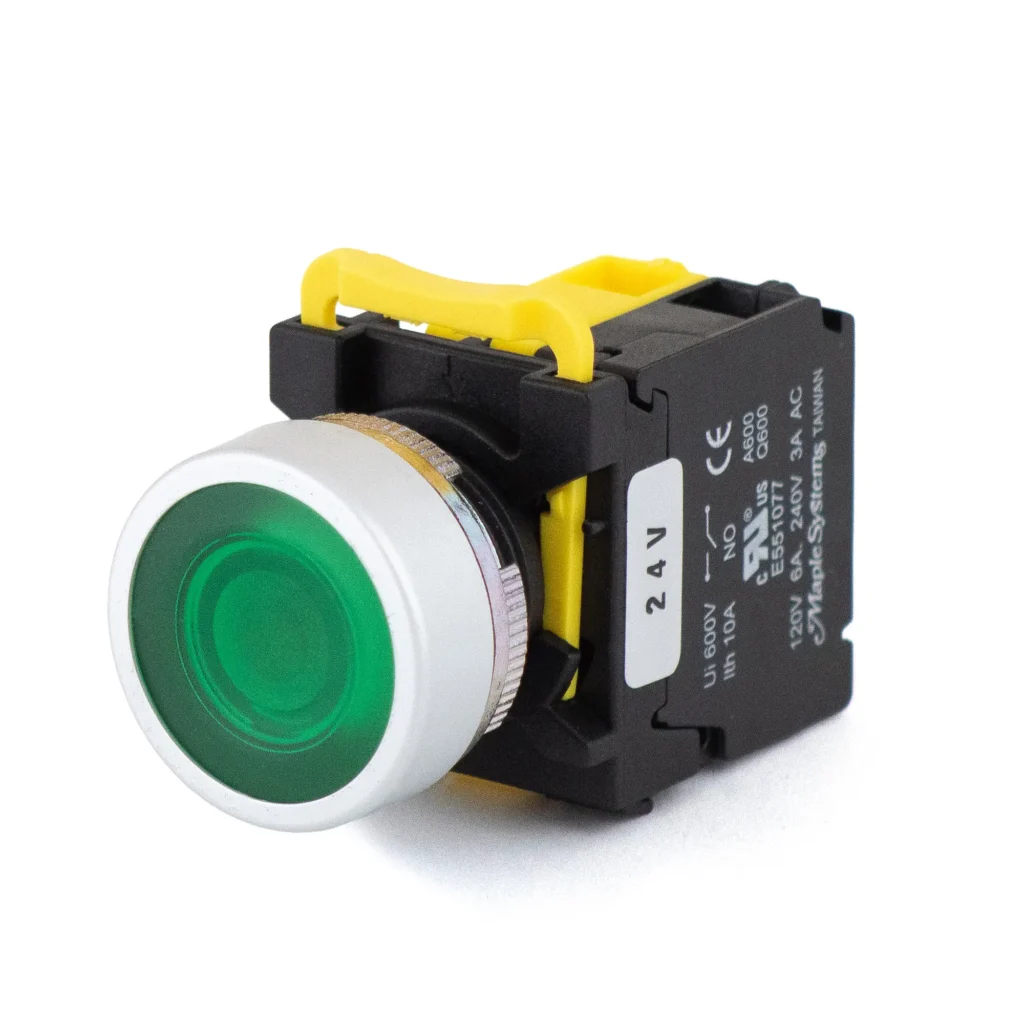
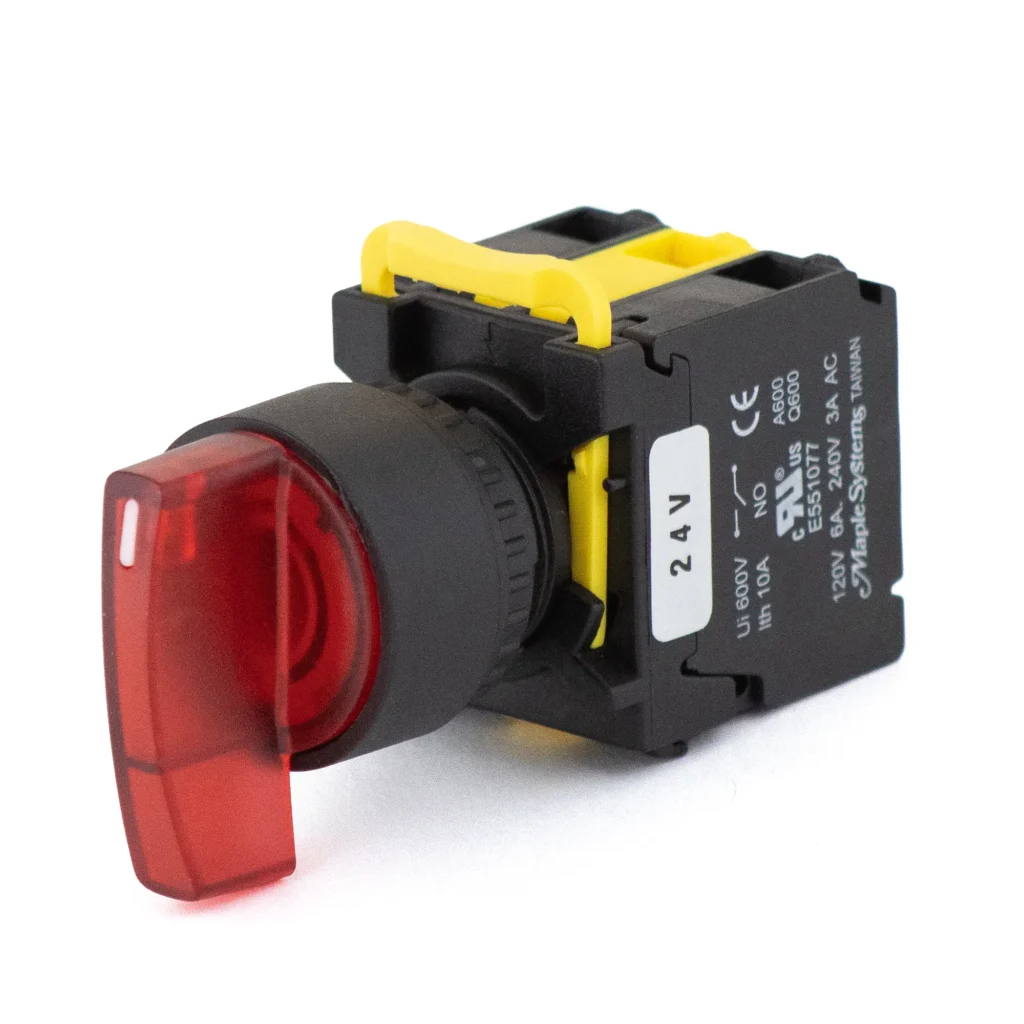
What is the difference between a pushbutton and a selector switch?
A pushbutton is operated by pressing it and is usually used for starting and stopping, or resetting a machine. A Selector Switch is turned to different positions, generally for choosing between operating modes or functions such as Forward, Reverse, or Off.
Related Links
Maple Systems Product Brochure
Related Articles
What is the mounting hole size for your pushbuttons and selector switches?
Currently, our pushbuttons and selector switches come in the standard 22 mm diameter only.
Related Links
Maple Systems Product Brochure
Related Articles
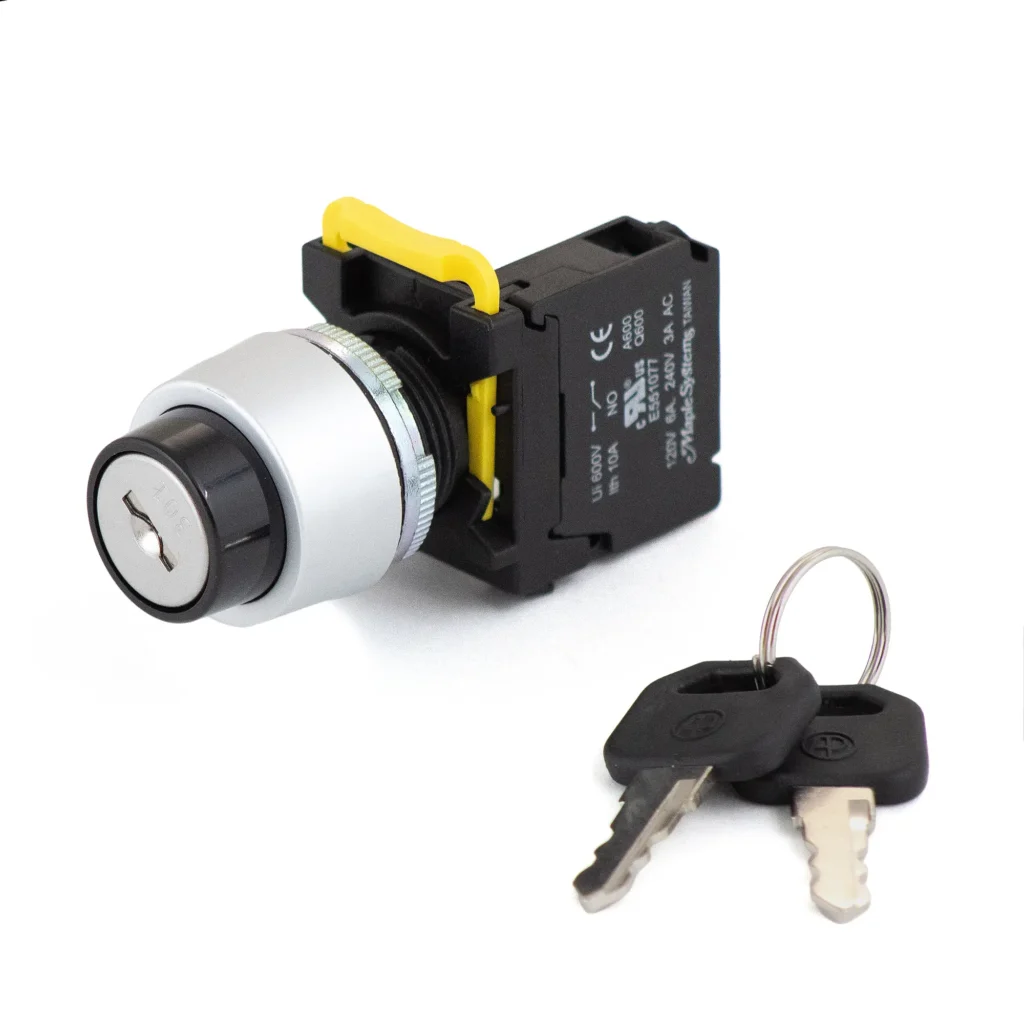
Do you sell replacement keys for your Keyed Selector Switches?
No, we recommend making a copy yourself once they’re received. You can also buy a new Keyed Switch with keys to replace the switch with missing keys.
Related Links
Maple Systems Product Brochure
Related Articles
What does cURus mean?
Any product with a cURus Logo means that it has been evaluated by UL Solutions and is a UL recognized component, intended to be installed on a larger piece of equipment, that meets applicable safety requirements for Canada and the U.S.

Related Links
Maple Systems Product Brochure
Related Articles